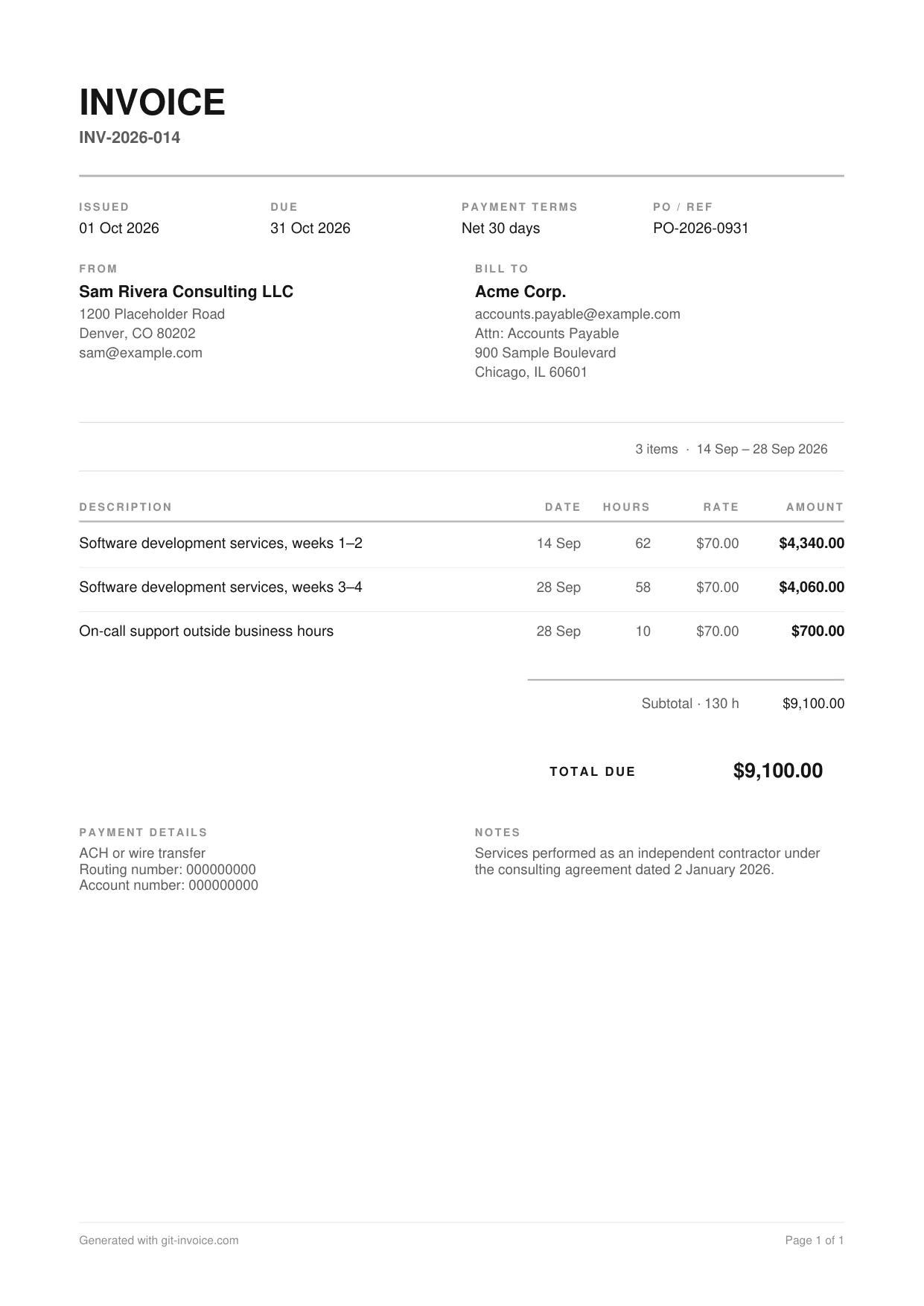
What is on this template
- Invoice number, issue date, due date and Net 30 payment terms
- The client’s purchase order number
- Your business name and address, and the client’s accounts payable address
- Lines for the period worked, each with hours, rate and amount
- Remittance details for ACH or wire transfer
- A note naming the agreement the work falls under
What accounts payable looks for
In a larger company the person who approves your invoice is rarely the person you work with. They check three things: that the invoice names the right legal entity, that it carries a valid purchase order or contract reference, and that the amount matches what was agreed. If one of them is missing, the invoice goes back and the payment term starts again.
- Bill the entity named in your contract, not the brand name.
- Put the PO number where it cannot be missed. The template has its own field.
- Send the invoice to the address or portal the contract specifies.
How to fill it in
- Open the template in the invoice generator.
- Replace the sample parties with your business and your client’s legal name.
- Enter the PO number and the payment terms from your contract.
- Add one line per period or per task, with hours and rate.
- Add your remittance details and download the PDF.
Tax paperwork for contractors in the United States
There is no federal rule on what an invoice must look like. What matters for tax is the reporting around it. A client who pays a non-employee for services reports the payments on Form 1099-NEC once they reach the threshold for the year: $2,000 for payments made in 2026, up from $600 before (IRS: Instructions for Forms 1099-MISC and 1099-NEC). To file it, the client needs your taxpayer identification number, which is why most ask for a Form W-9 before the first payment.
Keep copies of every invoice you send. They are your own record of income, whether or not a 1099 arrives.
Common mistakes
- Missing or outdated purchase order number
- Invoice addressed to the wrong legal entity
- No remittance details, so the client has to ask how to pay
- Payment terms that differ from the contract
- Late fees added that the contract never mentioned
Other invoice templates
- Freelance developer invoice template: Hourly invoice whose lines point at pull requests and commits, with an EU reverse-charge note.
- Hourly invoice template: Time-and-materials invoice: one line per task with date, hours, rate and amount.
- Web development invoice template: Fixed-price project invoice with one line per deliverable, quantities and 20% VAT.
Questions and answers
Does an independent contractor have to send invoices?
In practice, yes. The client needs a document to approve and pay against, and you need a record of what you billed. Your contract usually says how and when to invoice.
What does Net 30 mean?
Payment is due 30 days after the invoice date. The template prints the terms and the resulting due date, so nobody has to count.
Do I charge sales tax on my services?
That depends on the state and on what you sell. Sales tax rules for services differ from state to state in the United States. Check the rules for your state or ask an accountant. The template leaves the tax line off when the rate is zero.
Will my client send me a 1099?
A US client reports payments to a non-employee on Form 1099-NEC once they reach the reporting threshold for the year. For payments made in 2026 that threshold is $2,000; before 2026 it was $600. The client will ask you for a Form W-9 to get your taxpayer identification number.
What is the difference between an invoice and a timesheet?
A timesheet records when you worked. An invoice requests payment. Some clients want both: the timesheet as backup, the invoice as the document they pay.